This knowledge article may contain information that does not apply to version 21.05 or later which runs in a container environment. Please refer to Article Number 000385088 for more information about troubleshooting BMC products in containers.
Archiving Best Practices
1. Check below options that can cause the archive process to not run:
a. Check if you have a Rank for the Archive Operation in the AR System Server Group Operation Ranking form, for example:
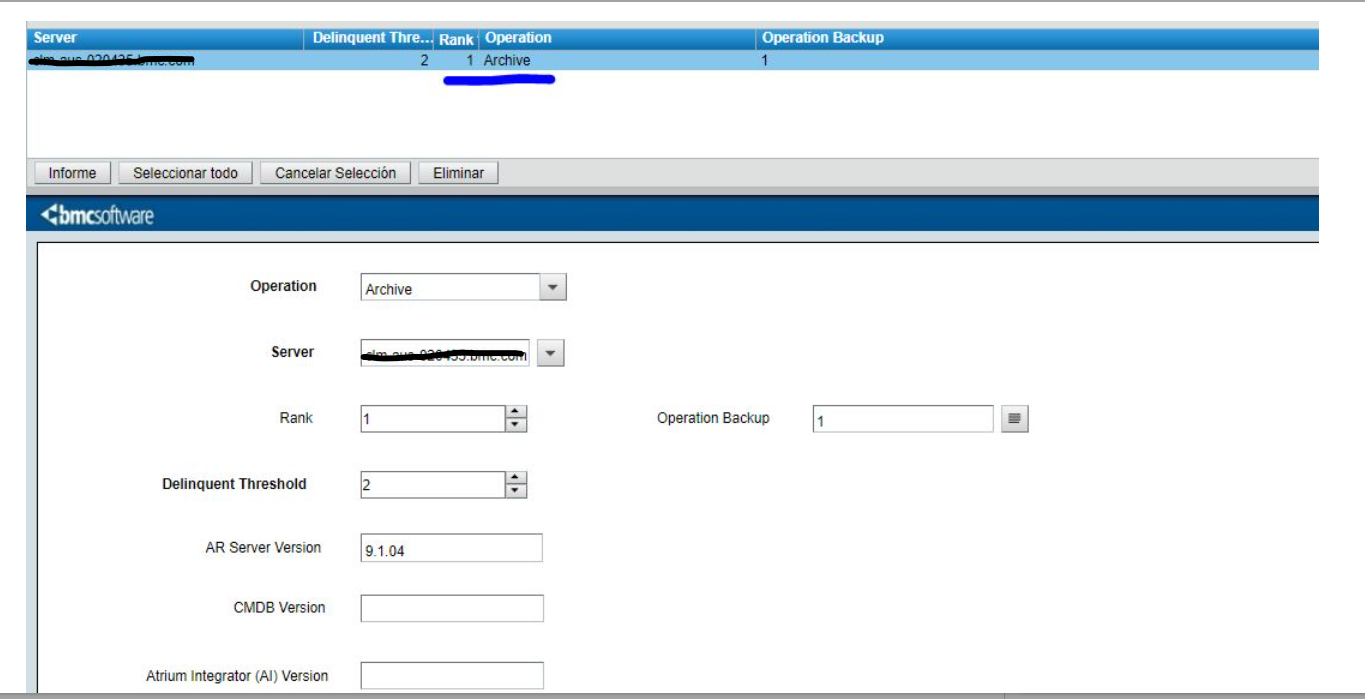
In some cases there were 2 servers shown in the configurations whereas it was a standalone installation done by some DB backup and ranking should be done to the correct server.
b. Disable-Archive-Global T you can find this option on centralized configuration under Administration Console > System > General > Centralized Configuration > Component Name > com.bmc.arsys.server.shared > Disable-Archive-Global T
c. Disable-Archive:T you can find this option on the ar.conf or under Administration Console > System > General > Centralized Configuration > Component Name > com.bmc.arsys.server > Disable-Archive T
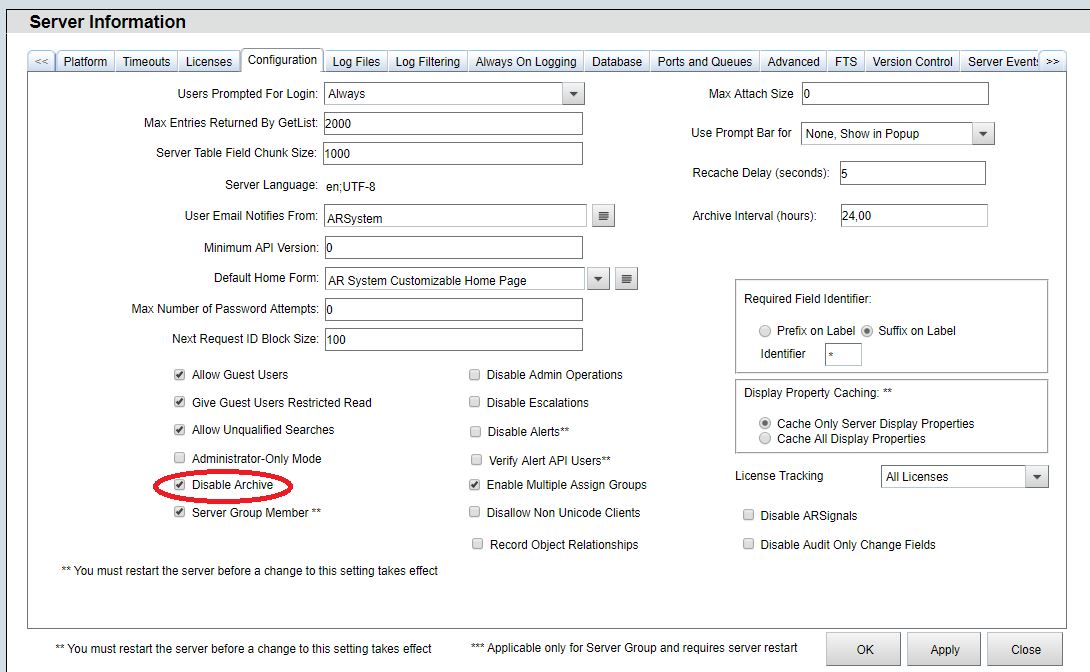
d. Disable Archive you can find this option on Administration Console > System > General > Server Information > Configuration Tab.
2. Do not start (Mount) an archive while another archive is running.
Always check the archive logs to see if an archive is running before starting an additional archive.
a. Archive logs are generally located in .../ARSystem/db/ararchive.log
archive.log example:
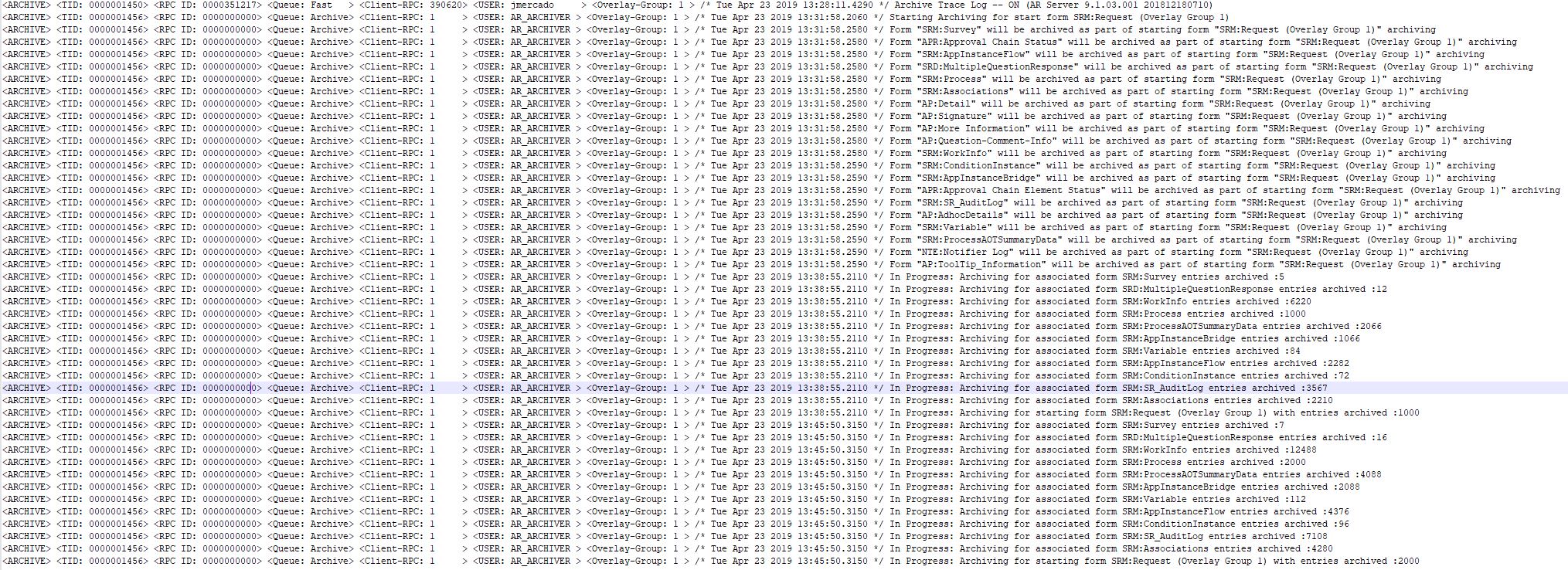
b. You can get more information about what is the archive doing with API/SQL/Filter logs from the moment when the archive process runs
API/SQL/FIlter log with archive info example:

3. Do not mount/run two or more archives at a time.
If you have more than one archive that needs to run, start the first archive and let it run to completion before starting the second archive.
Check the archive logs to see if the first archive is still running before starting a second.
Starting 2 or more archives at a time can generate excessive system overhead and cause the entire process to completely stop, or consume an excessive amount of system resources which could cause other process outside of archiving to stop working.
Note:The Archive process in the versions from 7.X to 18.X only use a single thread that's the reason we recommend to no try to run more than 1 policy at a time, in the version 19.X the Archive process uses multi thread to improve the performance of the archive process and the stability.
Refer the link below:
Multi-threaded Archiving: https://docs.bmc.com/docs/itsm1902/19-02-enhancements-841096841.html#id-19.02enhancements-BMCRemedyARSystemenhancements available in 1902
4. The initial run of any archive can take hours or days to complete this depend of the resources from the server and from the number of records waiting to be archived. After the initial archive run subsequent runs can complete in only a few minutes.
Note:If you have more than 1 million of records to be archives our recommendation is to ask your DBA to truncate the database table.
5. Starting an archive:
a. Once an archive is started the first entries in the log will indicate what forms are about to be archived in relation to the archive policy that you are running:

6. The next log entry will include a count of how many records are actually being archived for each form related in the archive that is being run.
Some archives policies have a large number of related forms, as where others may only have 1 or 2 related forms.
There can be a gap or pause from when the log entry in item (a.) above and the log entry below is added.
Do not take any additional archiving action during this pause.
This includes stopping, starting, or disabling any archive policies.
Additional actions can result in increased system overhead, resulting in a necessary restart of entire AR system process.
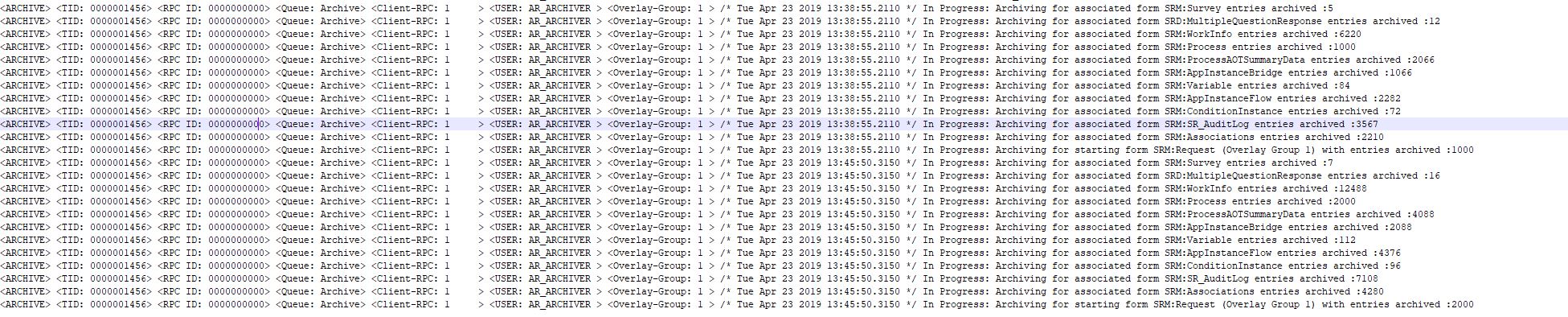
a. Once an archive is complete the below type of entry is written to the log before the archive engine moves on to the next enable archive.

7. There are two Forms where you can run the Archive Policies:
a. AR System Archive Manager Console
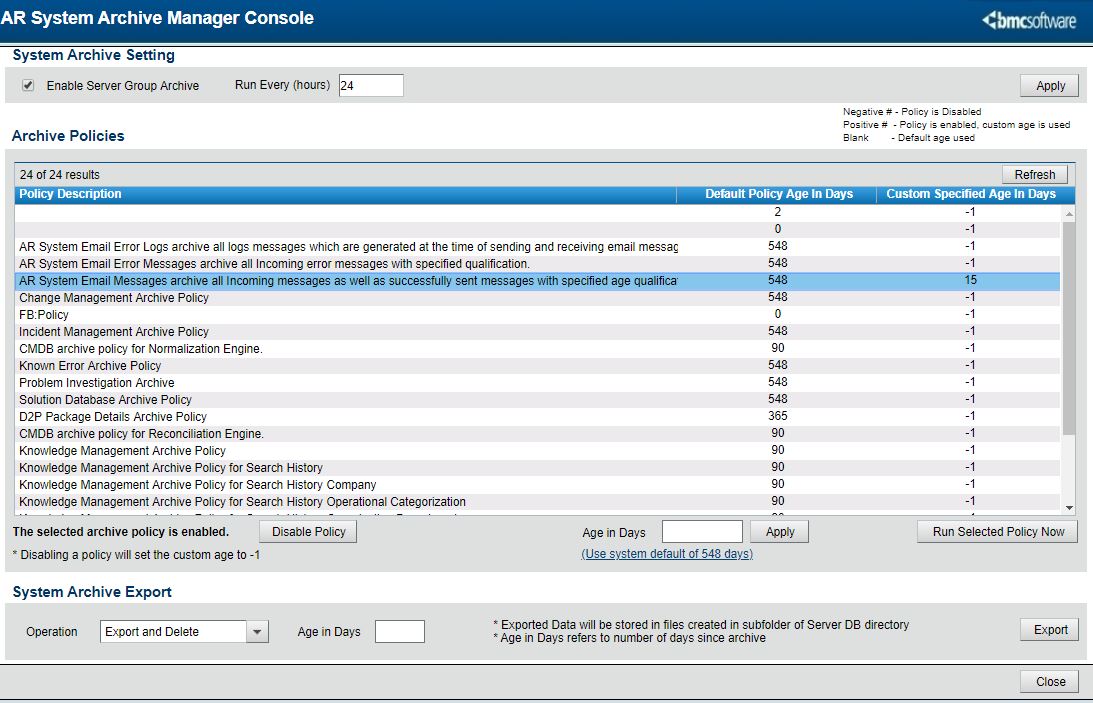
b. AR System Archive Policy
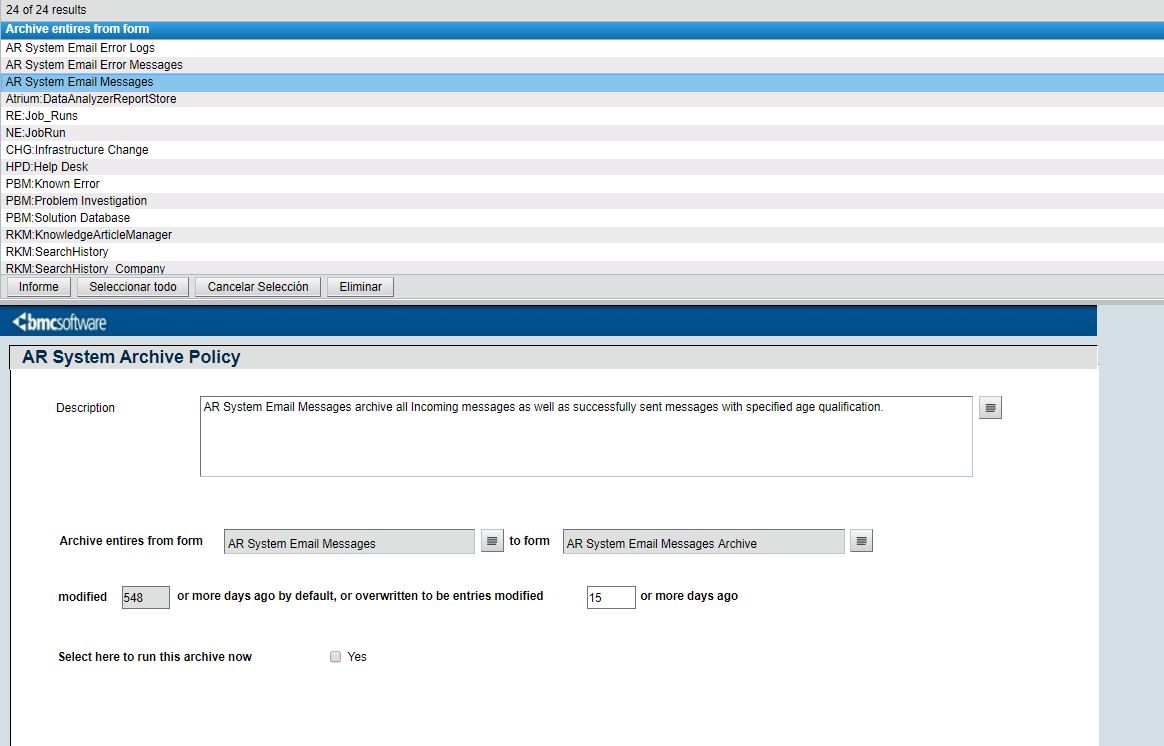
8. You will notice two types of archives in the archive logs.
a. Continuous Archives - These are archive policies that are enabled and have specific frequency designations (Example: 24hrs). These policies will run automatically based upon the designated frequency.
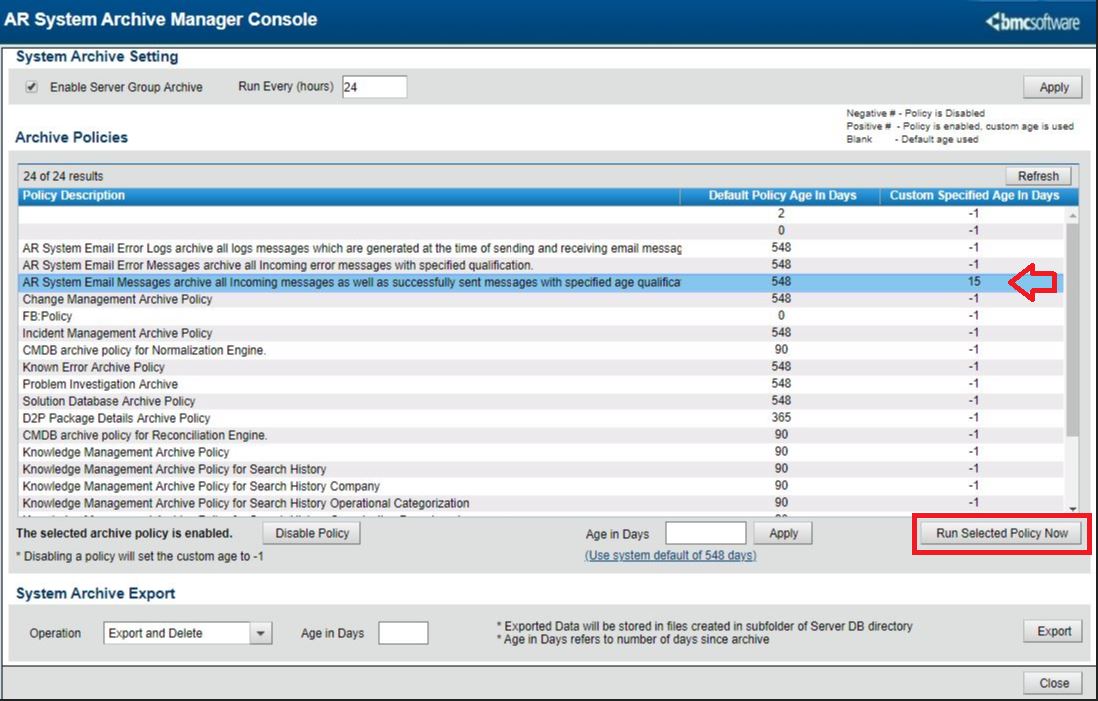
b. Manually Run Archives - These archives show in the log once the Run Selected Policy Now button has been clicked on the Archive Manager Console.
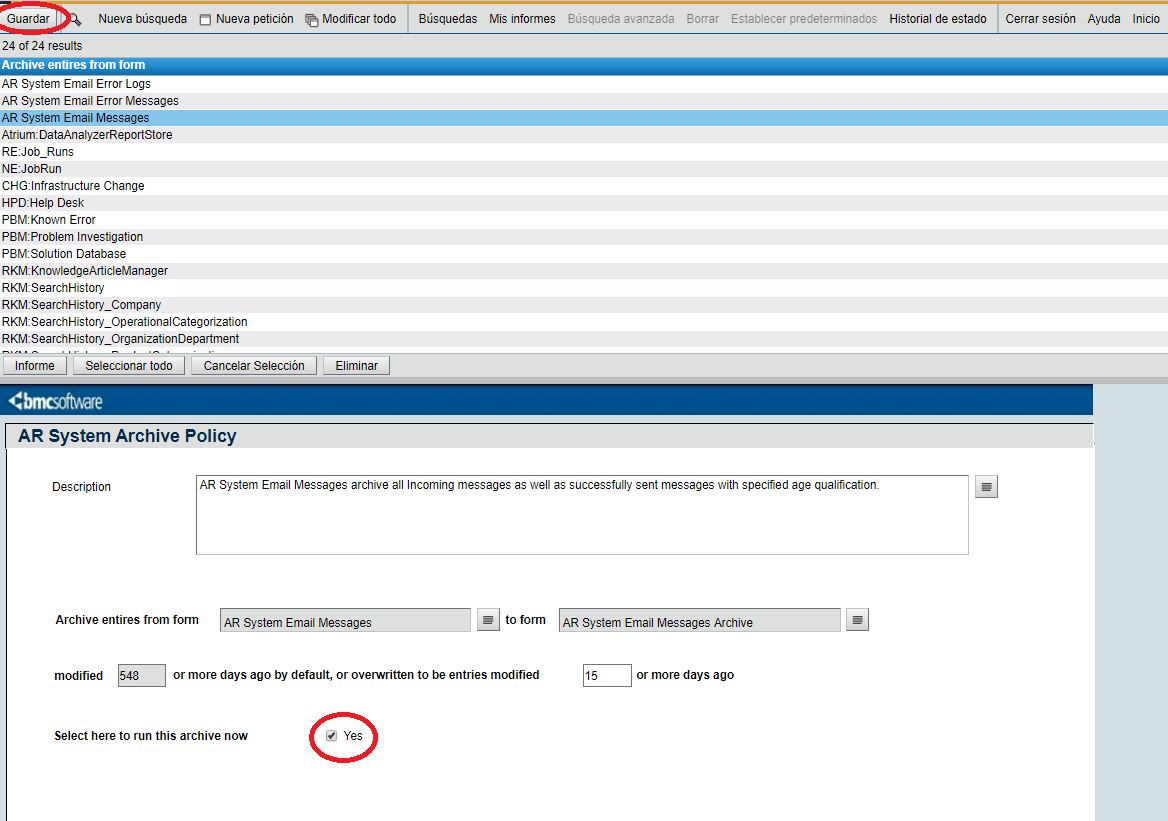
c. You can also run the Archive Policy manually from the form AR System Archive Policy
Below are specific points related to CMDB
1. Do archive BMC_BaseElement class entries from CMDB Archive manager console entries as it is not holding any CIs. It is just showing CIs entries for any children class created under BMC_BaseElement. Always use specific classes to add conditions and to perform Archive of CIs
2. CMDB archive follows form association and archive of weak and strong CIs differ and more details are provided in the document link CMDB data archive overview - Documentation for BMC Helix CMDB 21.3 - BMC Documentation. This link is updated as part of document defect DRDMS-90
For weak CIs the association is getting referred from RelLeadInstanceId field. However, when MAD=True is set to a strong CI then the corresponding weak relationship is set as MAD=True and the weak CI of the relationship is set as RelLeadInstanceId = NULL. So, the one-to-many structure is broken in this case. Hence the corresponding weak CI will not get deleted and hence will not get archived. For CMDB CI delete operation entry must be deleted from both the regular form (for regular classes) and the corresponding entry in BMC.CORE:BMC_BaseElement form.
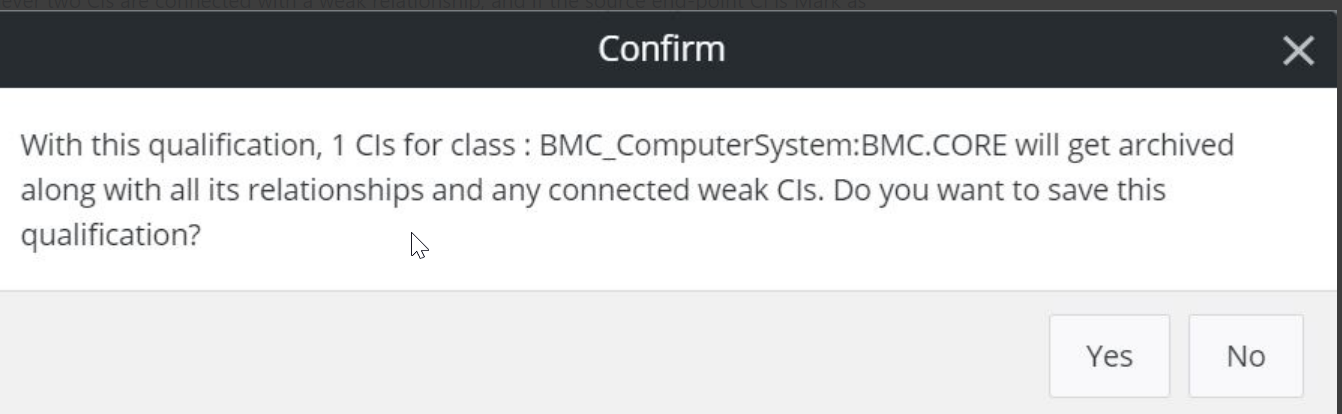
3.CMDB-181 :Archive Popup text is not fully correct and needs revision
A defect is added to correct the pop-up message shown in the CMDB Archive manager.
Current pop-up message. This will be updated as per the documentation link above to avoid confusion to customer
4. When the Operating-Mode is set, Archiving is disabled See the article below:
https://communities.bmc.com/community/bmcdn/bmc_remedy_ar_system/blog/2018/02/27/upgrade-mode
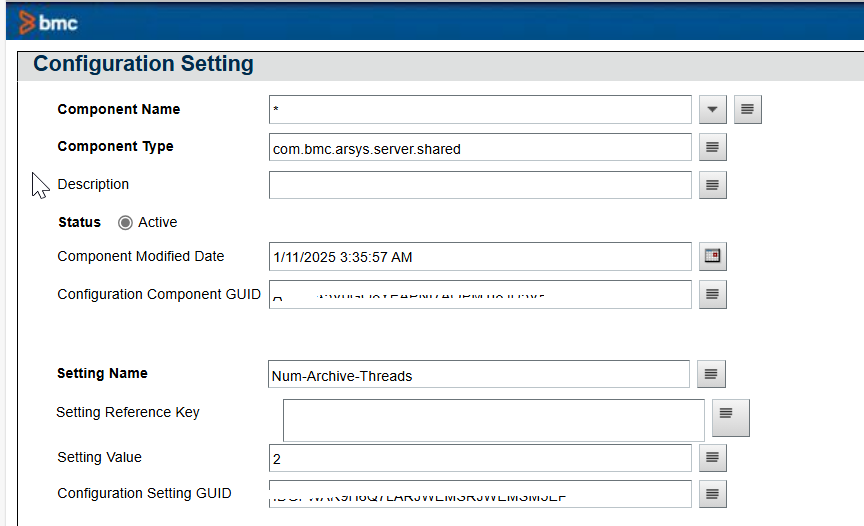
5. CMDB archive is running slow
Update "Num-Archive-Threads =2" in com.bmc.arsys.server.shared
From CCS or from AR+System+Configuration+Component+Setting update the value.
Restart all pods and check the use case.
For more details about how the 'Archive Process' feature works the online documentation can be referenced with the following links:
Remedy - Server - Archive thread does not run after having enabled the Archive in Remedy
How to configure archiving for AR server 9.X
Archive Manager Console - policies configuration not persisting on restart
AR System Archive Manager is really really slow
See also: Best FAQ on Data Management for AR System and BMC Helix ITSM